Features

Every tool a repair shop uses in a day, in one app.

This page lists what Bayvio does today. Anything not yet released is labeled Coming soon and collected in the roadmap at the bottom.
Estimates, repair orders & invoices

From the first quote to the final receipt.

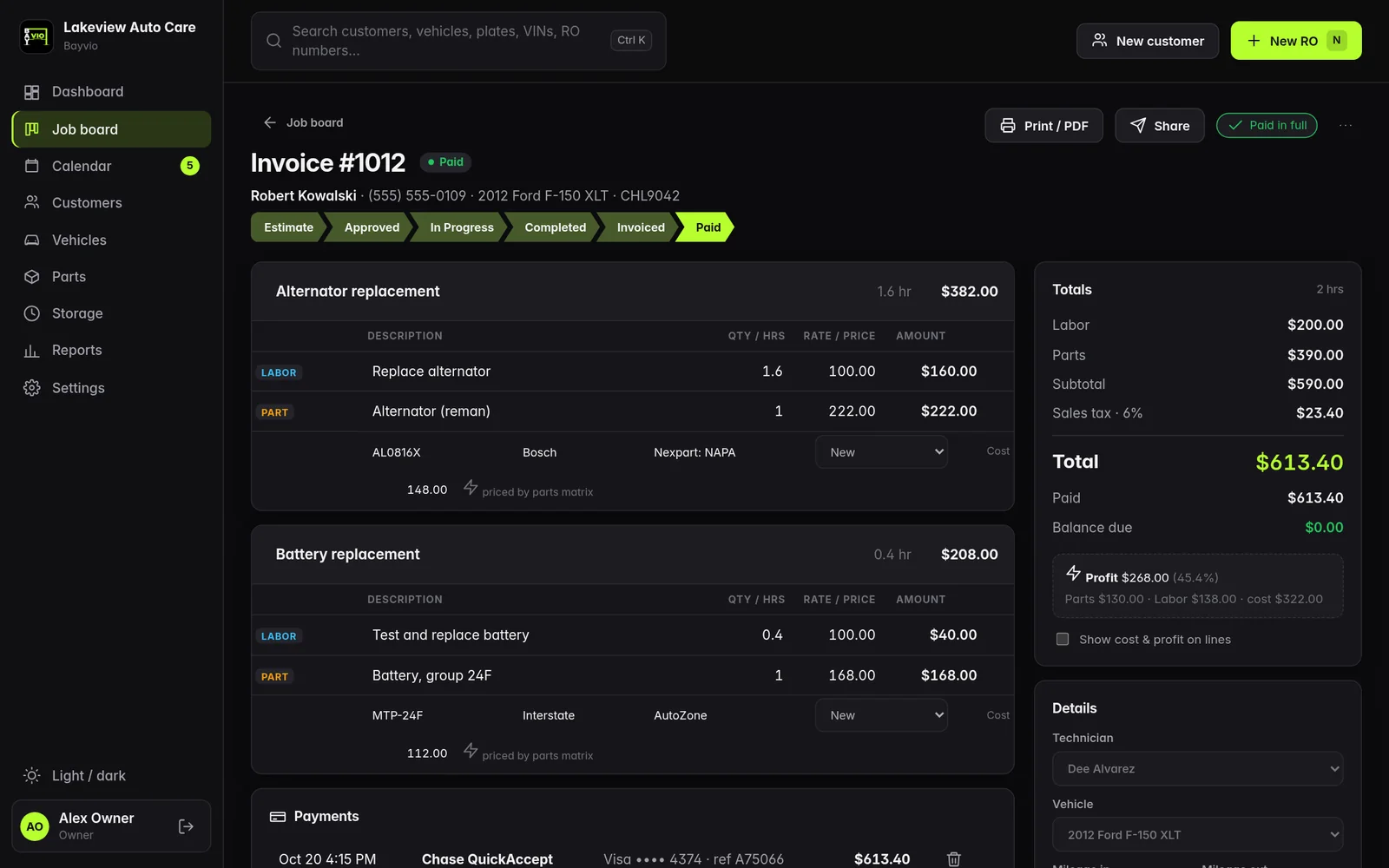
  • Estimate to invoice flow: Estimate, Approved, In progress, Completed, Invoiced, Paid.
  • Jobs with labor and parts lines, fees, sublet, shop supplies and discounts such as a veterans' discount.
  • Customer authorization on screen. The customer signs with a finger or mouse and the signature prints on the PDF.
  • Everything autosaves. Press N for a new RO.
  • VIN decode fills year, make, model and engine from the free NHTSA service.
  • Branded PDFs for estimates, repair orders and invoices.
Bayvio · Repair order
A Bayvio repair order with labor and parts lines

Repair order with sample data.

Pricing & profit

Price parts the way you already do.

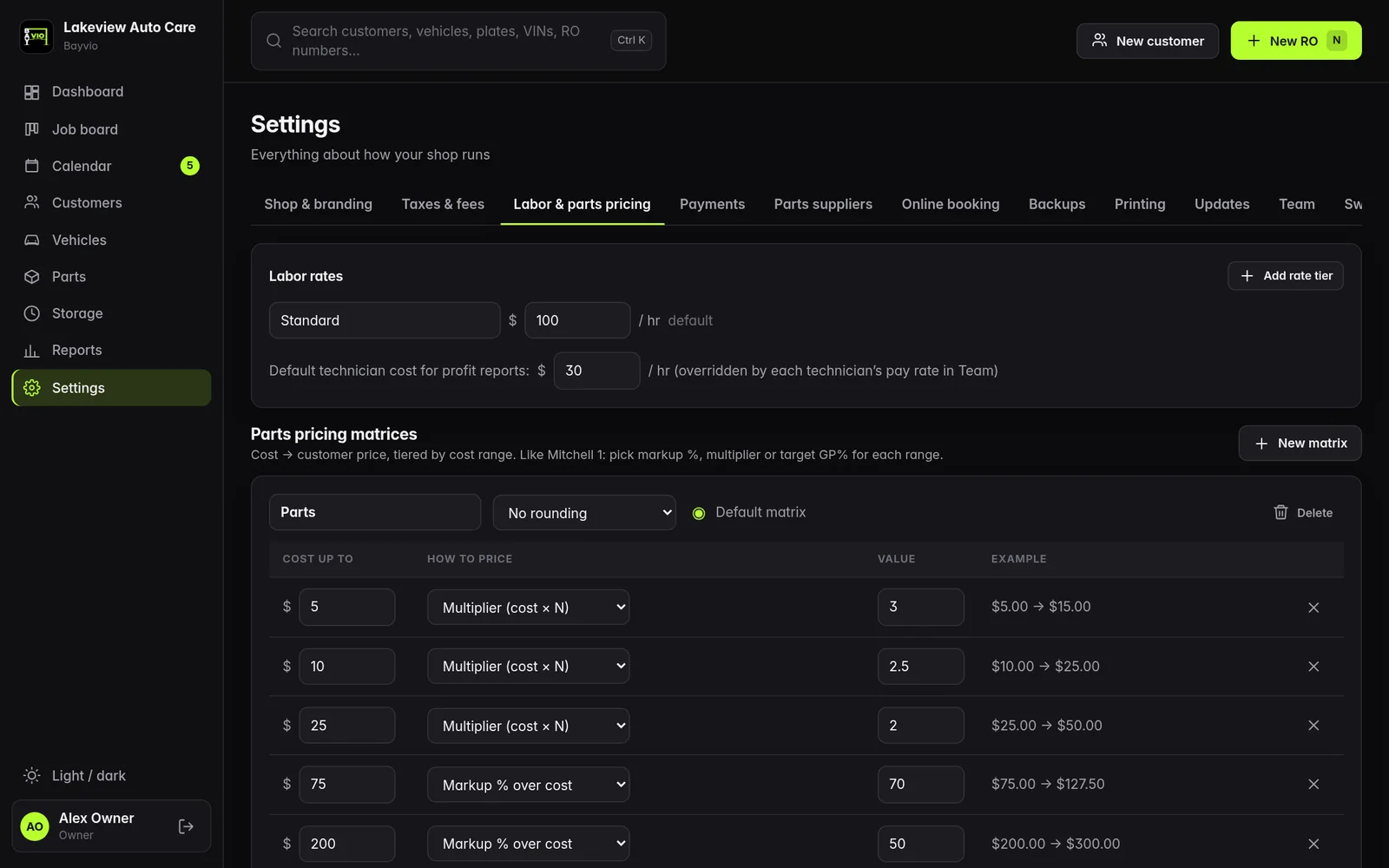
  • Parts pricing matrices by cost range, using a multiplier, a markup % or a target gross profit %.
  • Rounding rules, several matrices and per-vendor overrides, with any line overridable by hand.
  • Labor rate tiers and a default technician cost for profit reports.
  • Profit on every line for the owner. Technicians never see prices, costs or profit.
  • Configurable tax: Michigan 6% on parts by default, and you choose what is taxable.
Bayvio · Settings · Labor and parts pricing
The Bayvio parts pricing matrix editor with cost ranges and pricing modes

The parts pricing matrix editor.

Michigan repair law, fees & storage

The paperwork that protects the shop.

  • Michigan notices on estimates: the returned-parts notice and the estimate-overage language (10% or $50) are printed on the estimate.
  • Storage fees with a grace period, a daily rate and a storage line on estimates and invoices.
  • Storage dashboard: every finished vehicle still on the lot, how long it has been there, the running fee, notices logged and waivers recorded with a reason.
  • Hazardous waste and disposal fee as a percentage with a cap, minimum and taxable setting.

Bayvio provides the notices and fee tools. It is not legal advice, so confirm your wording with your own advisor.
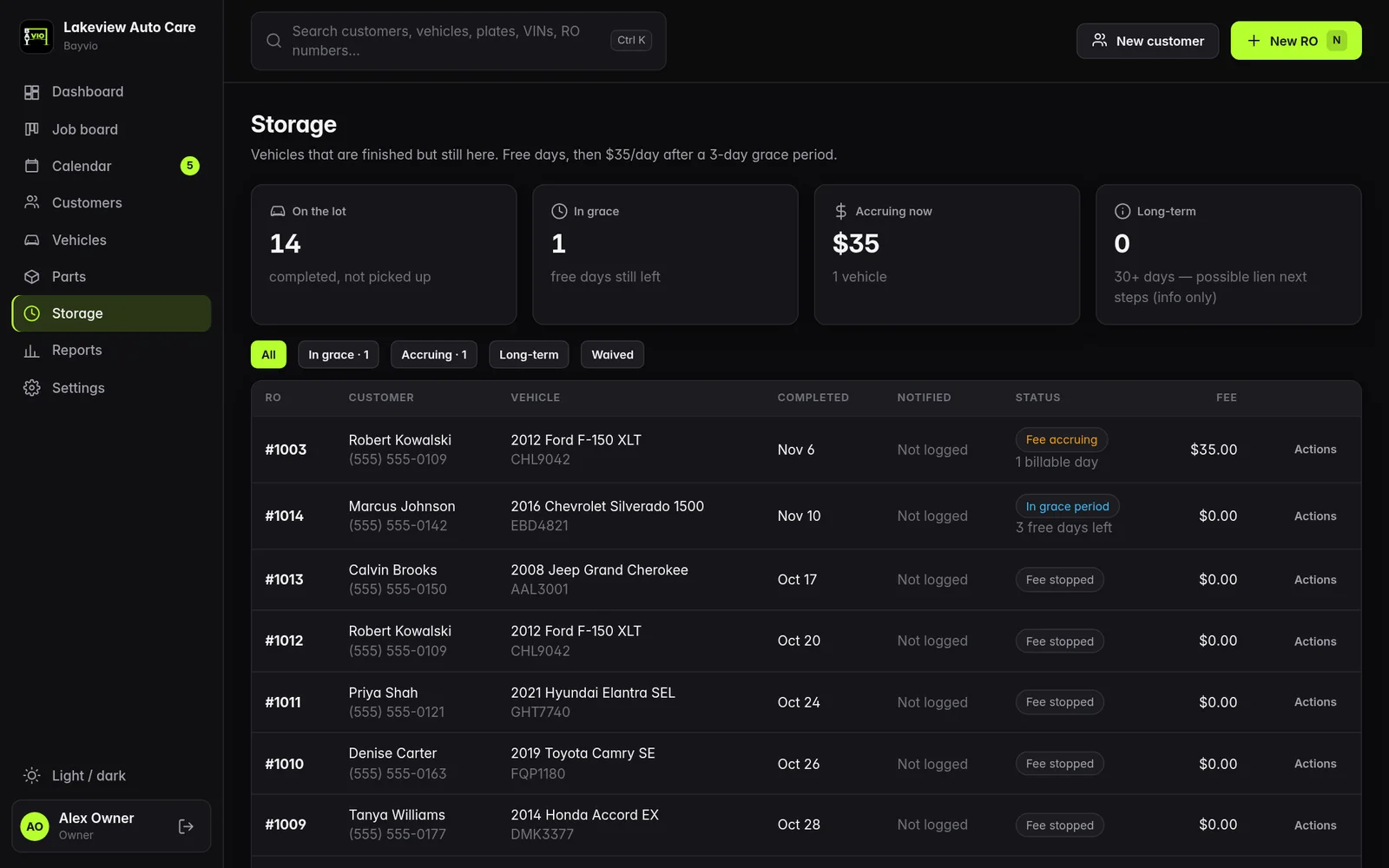
Bayvio · Storage
The Bayvio storage dashboard listing vehicles on the lot with days stored and running fees

Storage tracking with sample vehicles.
Customers & vehicles

Every car's history, one search away.

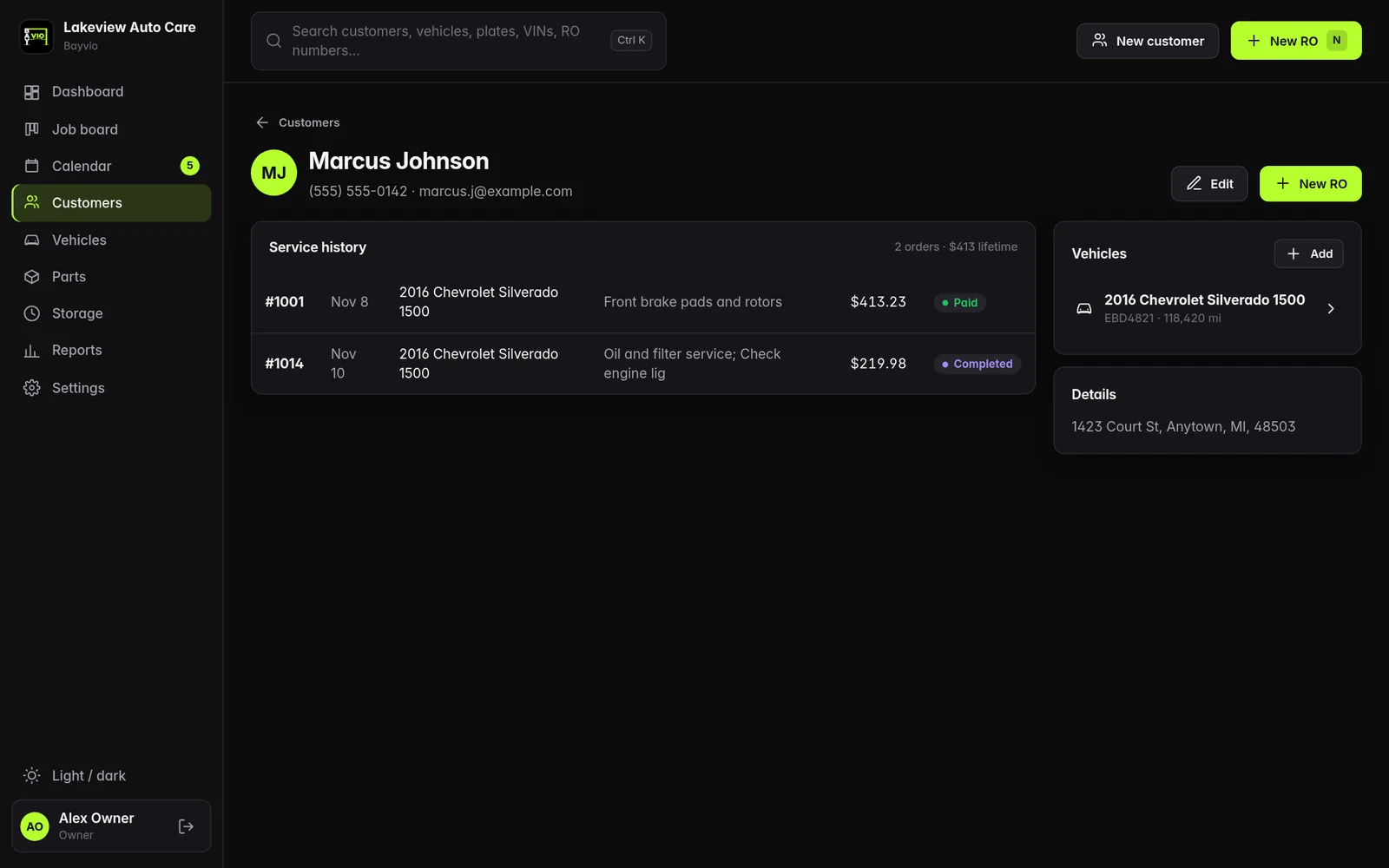
  • Customer and vehicle records with phone, email, VIN, plate and mileage.
  • Full service history per customer and per vehicle, including repair orders imported from Mitchell 1.
  • Ctrl+K search across customers, vehicles, plates, VINs and RO numbers.
Bayvio · Customer
A Bayvio customer page with service history and vehicles

Customer history with sample data.

Payments

Get paid at the counter or by link.

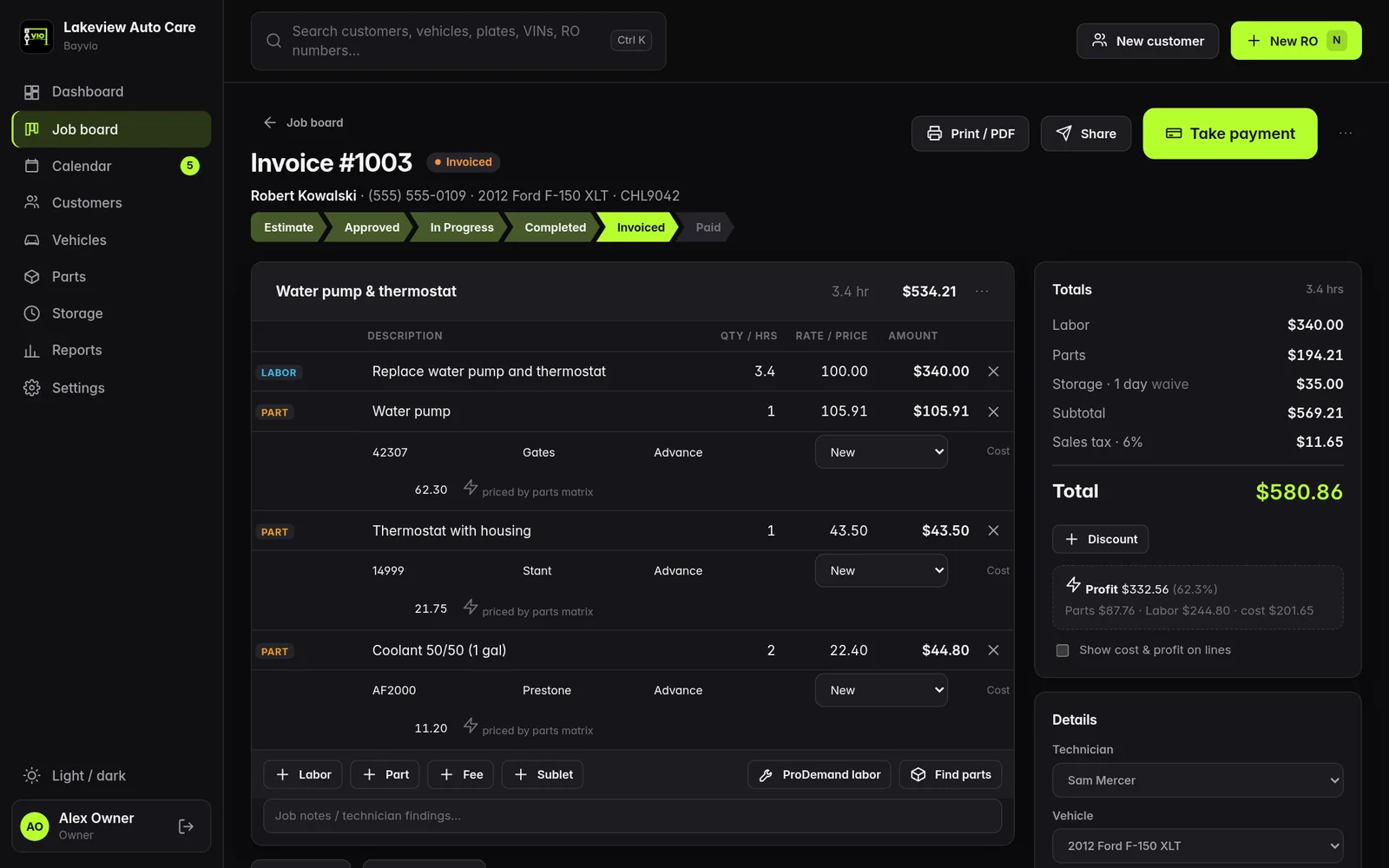
  • Stripe: create a payment link with a QR code. The repair order marks itself paid when Stripe reports the payment.
  • Chase QuickAccept: the Chase tab opens beside the invoice with the amount and RO number ready to copy. You sign in to Chase yourself and record the result.
  • Cash, check and other with a reference.
  • Partial payments and balance tracking, with A/R aging in reports.

Card numbers are entered on the processor's own page and never touch Bayvio.
Bayvio · Invoice
A Bayvio invoice with a Take payment button and totals

Invoice ready for payment, sample data.

Parts & repair information

Source parts and labor times without leaving the RO.

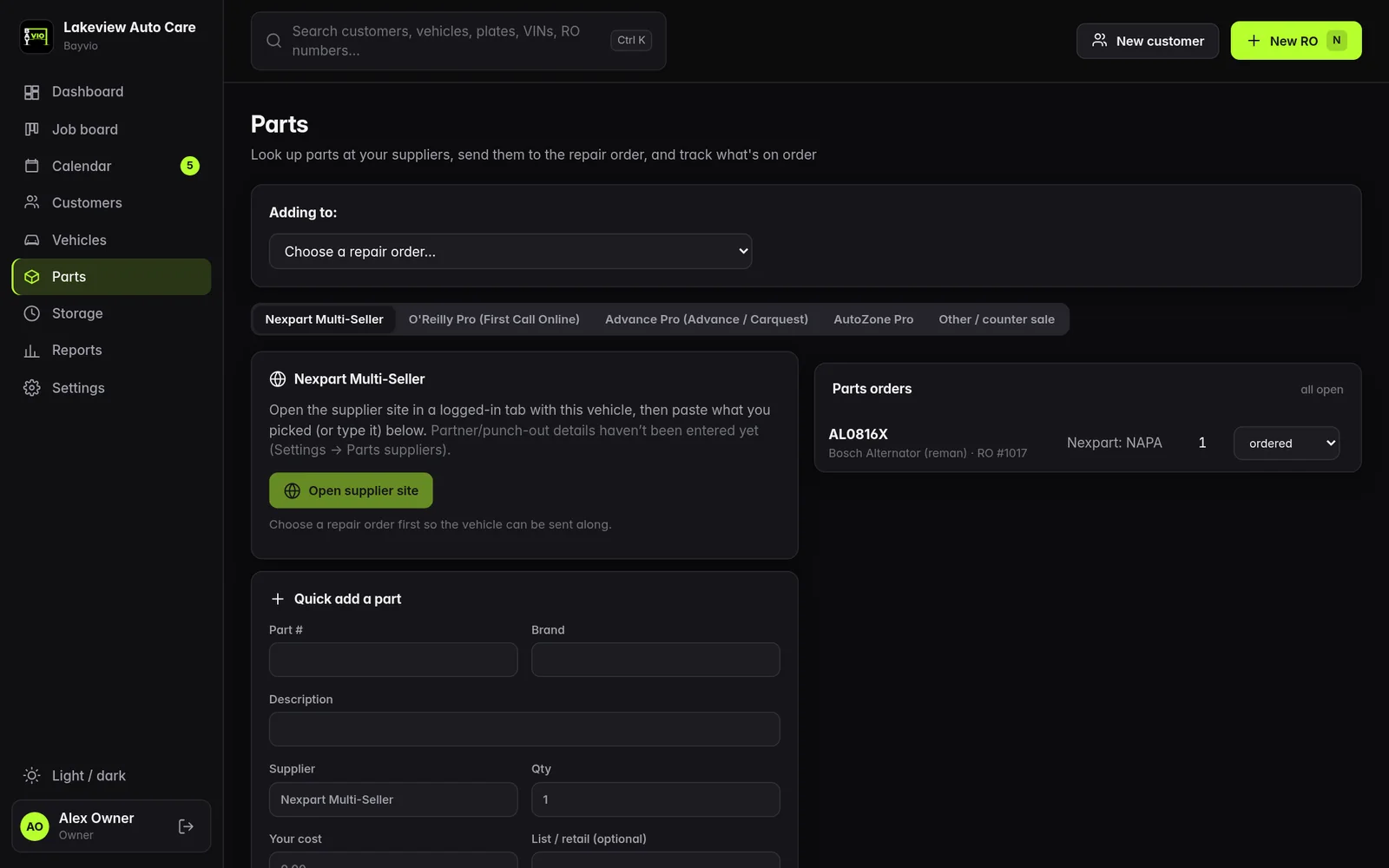
  • Parts suppliers: Nexpart, O'Reilly Pro, Advance Pro and AutoZone Pro open from the repair order with the VIN copied for you.
  • The supplier is recorded on every part line, and your matrix prices the cart.
  • ProDemand tab (with your own subscription): highlight an operation and add its labor to the estimate.

You sign in to supplier sites yourself. Bayvio does not store those passwords.
Bayvio · Parts
The Bayvio parts page with supplier tabs and a quick add part form

Parts and suppliers.

Scheduling & online booking

Bookings from your website, on your calendar.

  • Day and week calendar with appointments by customer and vehicle.
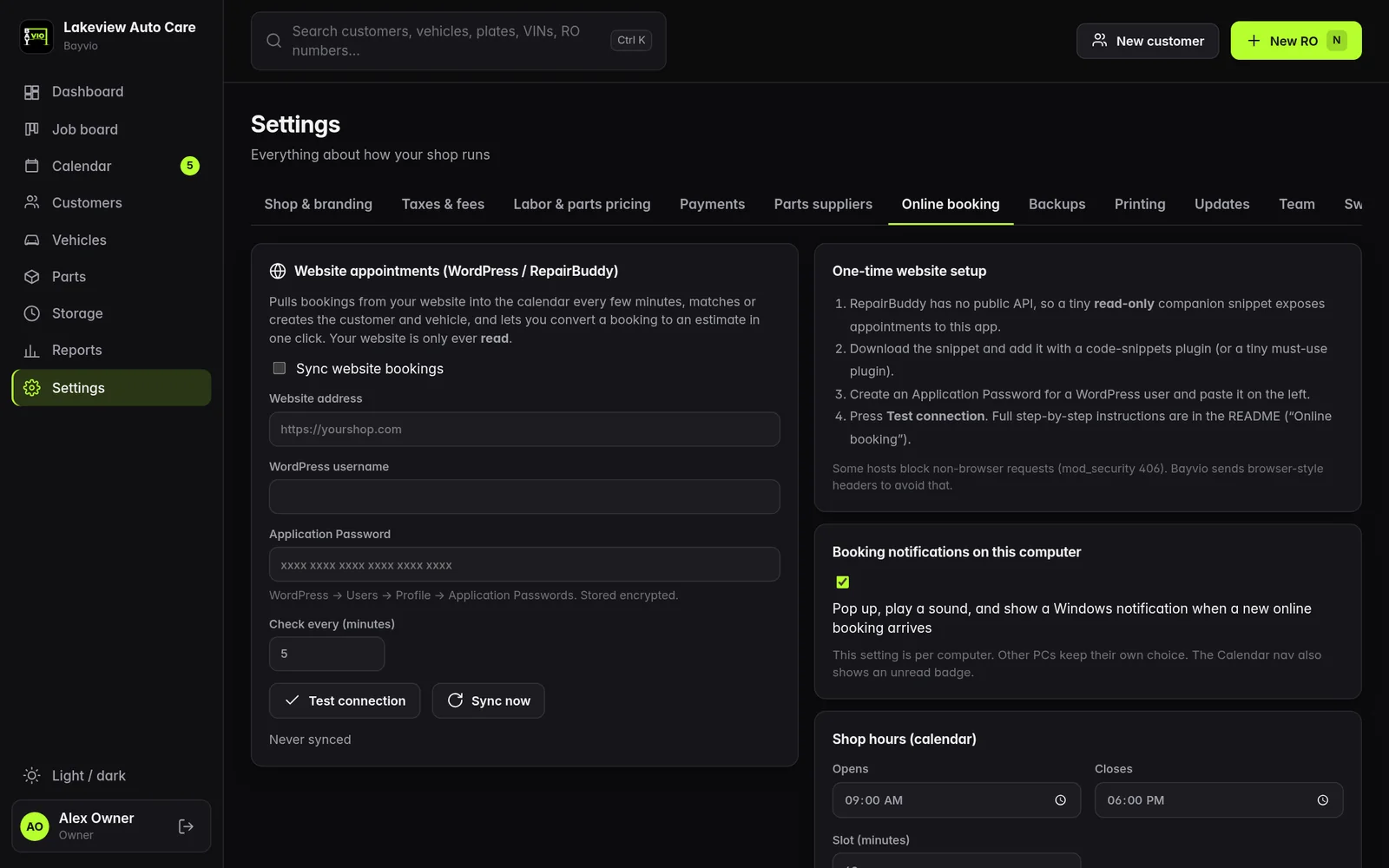
  • Online bookings from RepairBuddy on your WordPress site appear in an Online bookings panel, with pop-up notifications on every PC.
  • Convert to estimate in one click.

Works today  Deeper integration coming soon
Bayvio · Settings · Online booking
Bayvio online booking settings for connecting a WordPress website

Online booking settings.

Reports

Know how the shop is really doing.

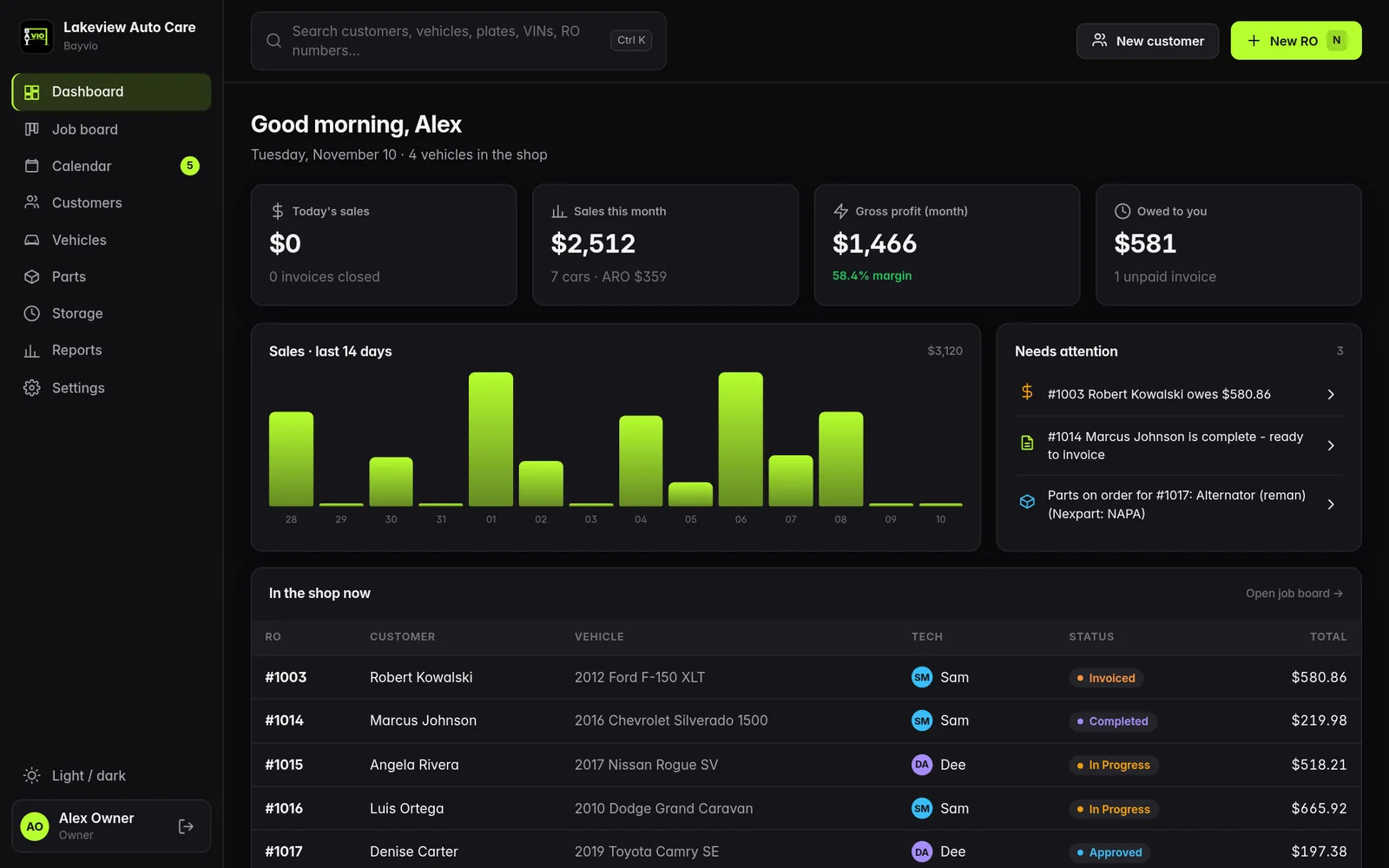
  • Sales and profit by period, compared with the prior period.
  • End of day, tax and payments by type.
  • Technician productivity, car count and average repair order.
  • Top services and A/R aging, with CSV and PDF export.
Bayvio · Dashboard
The Bayvio dashboard with sales chart and shop overview

Dashboard with sample data.

Printing & documents

Print to any printer, show only what you want.

  • Print preview with a printer picker for every printer Windows lists: USB, network and PDF.
  • Default printer per PC, plus a shop-wide default and separate printers for invoices, estimates and receipts.
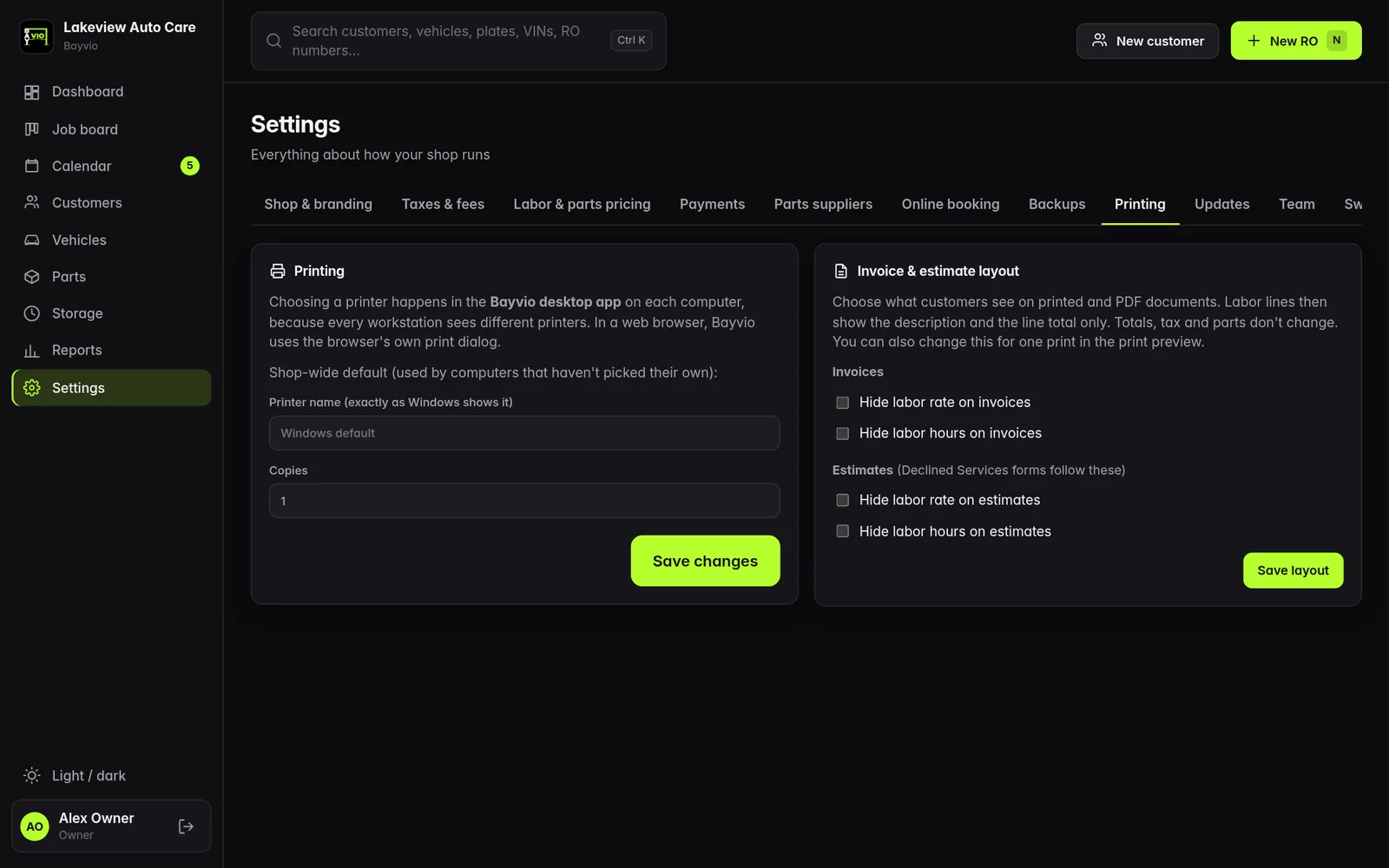
  • Hide labor detail: hide the labor rate and the labor hours on invoices and estimates, so the customer sees the total and not the math.
Bayvio · Settings · Printing
The Bayvio print settings with default printer and hide labor options

Printing and document layout options.

Bayvio on your phone

The shop in your pocket, for Bayvio shops.

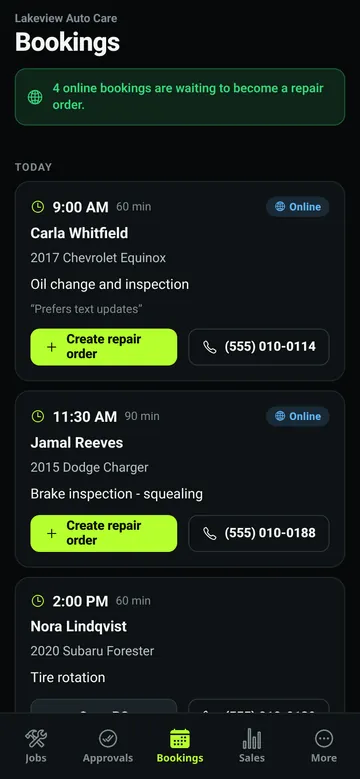
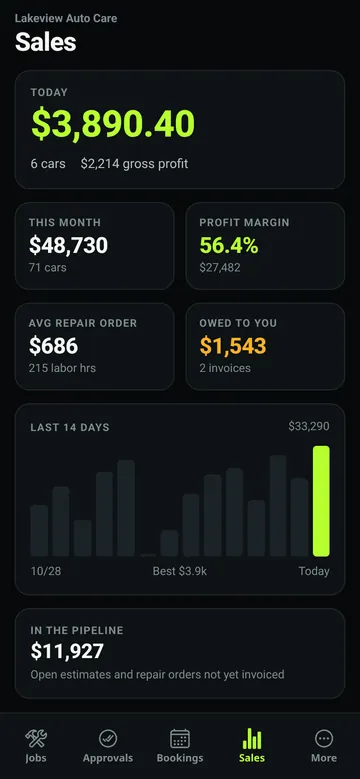
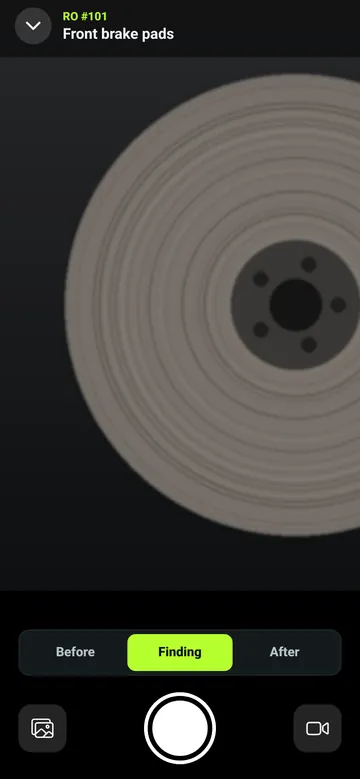
Once your shop runs Bayvio, pair the mobile app with it. See the job board, capture inspection photos and video in the bay, get estimates approved, check bookings and watch sales, from anywhere.
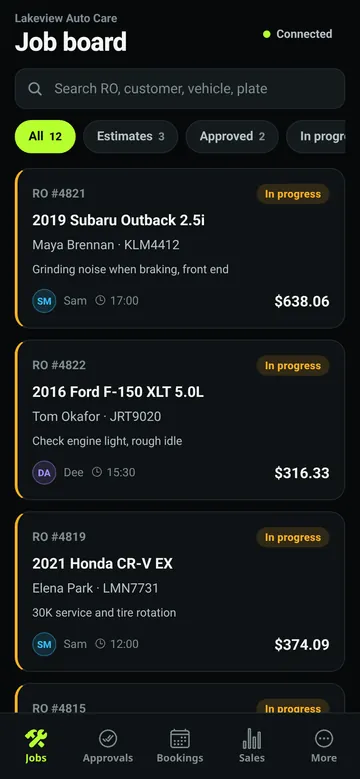
  • Bayvio mobile app job board with repair orders by status
    Job boardEvery car in the shop, one tap to change status.
  • Bayvio mobile app camera capturing an inspection photo for a brake rotor
    Inspection cameraPhotos and video on each checklist item.
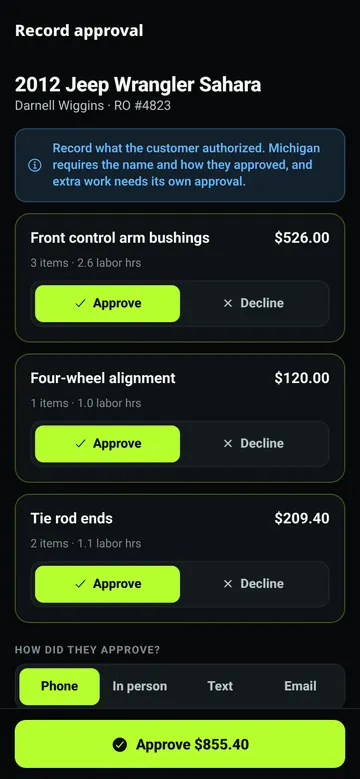
  • Bayvio mobile app estimate approval with customer signature
    Estimate approvalCustomer approves and signs on the phone.
  • Bayvio mobile app list of upcoming bookings
    BookingsNew online bookings, ready to review.
  • Bayvio mobile app sales chart for the owner
    SalesToday and this week at a glance, for owners.

Screens show sample shop data.

For Bayvio shopsDownload for Android iPhoneComing soon to the App Store

The app is for shops that already run Bayvio. Download it, then pair it with your shop by scanning a code from the Bayvio desktop app.

Bayvio Credit Card Processing Coming soon

Card processing built into Bayvio, so a card payment lands on the repair order without a second system to reconcile. It is not released yet. Details, availability and pricing will be announced when it launches.

Your whole shop

Built for more than one PC.

Multi-PC shops

One PC is the server and keeps the data. Every other PC runs the client and finds the server by itself. Tablets and phones can open Bayvio in a browser on the shop Wi-Fi.

Roles

Owner, writer (front desk) and technician accounts. Technicians never see prices, costs or profit.

Backups

Automatic daily backup to a USB drive plus a copy on the server PC. The last 30 are kept and every file is read back to verify it. Optional password encryption and one-click restore.

Encrypted shop data

The database is sealed on disk with AES-256-GCM, and the key is tied to the PC. Backups store the sealed database.

Automatic updates

Signed update packages, a safety backup before every install, an optional overnight window and automatic rollback.

Make it yours

A first-run wizard sets your shop name, logo, colors, rates and taxes. Light and dark themes with your accent color.
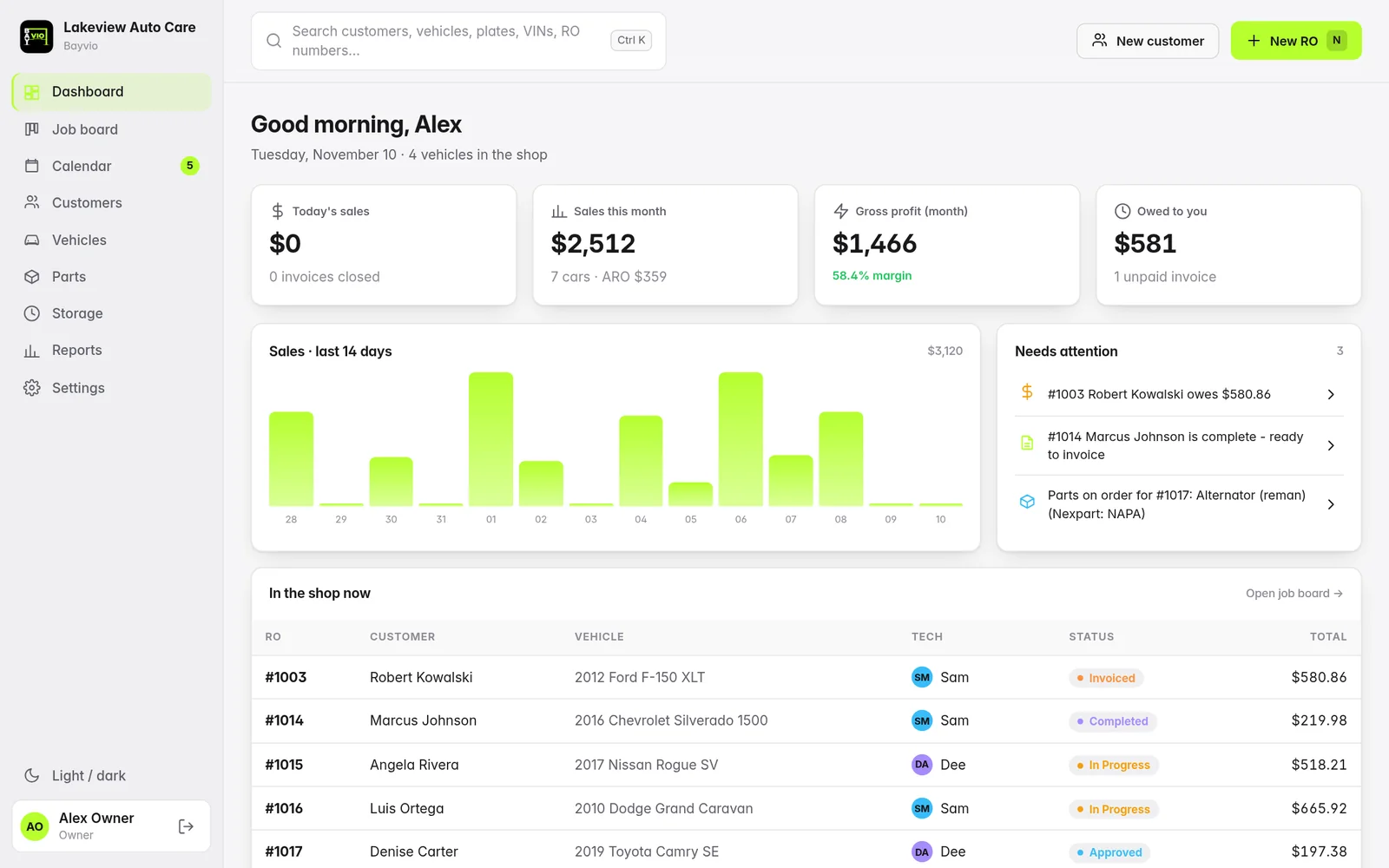
Bayvio · Light theme
Bayvio dashboard in the light theme

The light theme. Dark is the default.

Moving over

Switch from Mitchell 1 with your history intact.

Import customers, vehicles and your full repair order history. Other systems can come across with a CSV or Excel file and a column-mapping step.

How the import works
Coming soon

One platform for the whole shop. Here is where it is going.

Bayvio already runs your counter and your back office. The roadmap below is where we are taking it next. Everything marked Coming soon is not released yet and has no date.

The vision: one system that quotes the job, texts the customer, captures the damage on a phone, books the next visit and puts a professional website in front of your shop, all feeding the same repair order.

Online booking Works today

Customers book on your shop's WordPress site with RepairBuddy and the appointments flow into your Bayvio calendar. We are building a deeper, direct integration.

Mobile app Android available iPhone coming soon

For Bayvio shops: see the job board, capture inspection photos and video, get estimates approved, check bookings and sales. The Android app is available to download now. The iPhone app is coming soon to the App Store. Get the Android app

Bayvio Credit Card Processing Coming soon

Card processing built into Bayvio. Not released yet. Details, availability and pricing will be announced at launch.

Two-way customer texting Coming soon

Text customers from the repair order and read their replies in the same thread: approvals, questions and pickup notices.

AI body-shop photo estimates Coming soon

Snap photos of the damage and get a list of affected panels with a suggested estimate. You review and approve every line.

A professional website for every shop On the roadmap

Custom-built, mobile-friendly and SEO-ready. A built-for-you website is available today with the Complete plan; tighter integration with Bayvio is on the roadmap.

Also on the roadmap

More we are planning.

None of these are released yet and none have dates.

  • Coming soon Body work and auto repair selector on every job
  • Coming soon Plate-to-VIN lookup
  • Coming soon Mileage-based maintenance reminders
  • Coming soon Declined-work forms
  • Coming soon Warranty tracking on customers and vehicles
  • Coming soon Quick sale for counter sales
  • Coming soon Payment links sent to customers by text
  • Coming soon Direct parts ordering with more suppliers

See Bayvio run a real shop day.

Register for the live demo and explore estimates, the job board, payments and reports with sample data.

Try the demo Talk to us