For Bayvio shops: download the app, then sign in to your shop.
The Bayvio app puts your job board, inspections with photos and video, estimate approvals, bookings and sales on your phone. It works with your own Bayvio shop, so you need Bayvio set up on your shop PC first. The mobile app is part of the Pro and Complete plans and connects once your shop has the shop update that adds phone support.
Version 1.0.1 adds sign-in with a shop code. Earlier version: 1.0.0 (pairing by QR only). Its SHA-256: 0b320e92a6e2106e1d62afa7b1f5a6d18a78173ba6941199ec4d88ae275432f4
Not a Bayvio shop yet? See plans or talk to us. The app does not work without a shop to connect to.
Install it in a few minutes.
Until the app is on Google Play, you install it directly from this page. Your phone will ask you to allow it once.
- Download the fileTap Download the APK on your Android phone. Chrome may warn that this type of file can be harmful. Choose Download anyway, because this is the app you are expecting.
- Allow the installOpen the file. If Android asks, turn on Install unknown apps for your browser, then go back and tap Install. You can turn the setting off again afterward.
- Sign in to your shopOpen the Bayvio app and choose how to connect. Scan code: on the shop PC open Bayvio, go to Mobile app, and scan the pairing code it shows. Sign in with shop code: type your shop code (shown on the same Mobile app screen) plus your own Bayvio username and password, with no QR needed. Either way each phone belongs to one person's account, you see what your role allows, and the owner can remove a phone or turn off code sign-in at any time.
Check the download
Version 1.0.1. Before you install, you can confirm the file is exactly the one we published by comparing its SHA-256 fingerprint.
64114eb2715e357dea6dac73b0a0866a5b2b51542181f85b4dcc635cf9fa8177
On Windows: certutil -hashfile Bayvio-1.0.1.apk SHA256
On Mac or Linux: shasum -a 256 Bayvio-1.0.1.apk
What you need
- An Android phone, version 8 or newer
- A shop running Bayvio on a Pro or Complete plan, and your own Bayvio login
- Works on your shop Wi-Fi, and away from the shop when the shop PC is on and online
The shop in your pocket, for Bayvio shops.
Once your shop runs Bayvio, connect the mobile app to it with a QR code or your shop code and login. See the job board, capture inspection photos and video in the bay, get estimates approved, check bookings and watch sales, from anywhere.
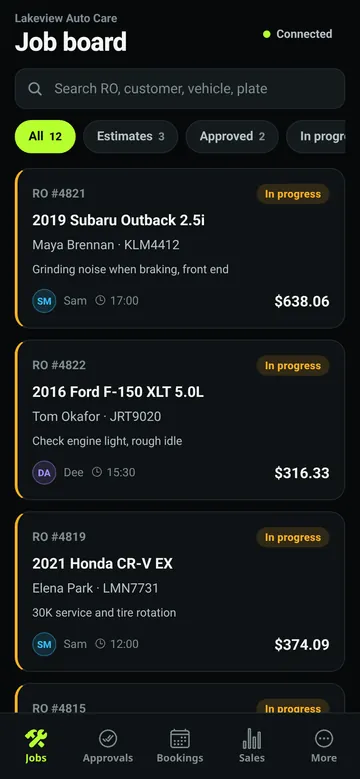
Job boardEvery car in the shop, one tap to change status. 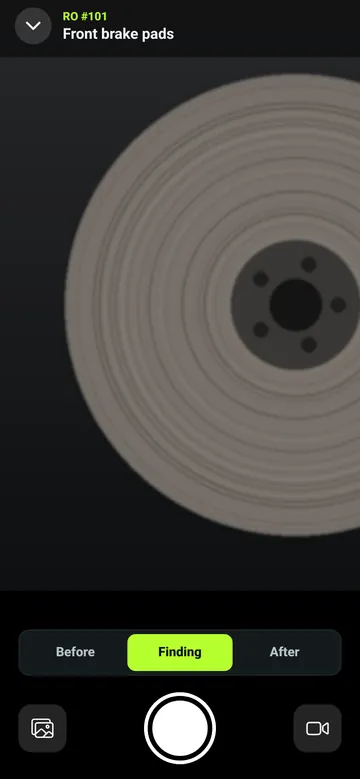
Inspection cameraPhotos and video on each checklist item. 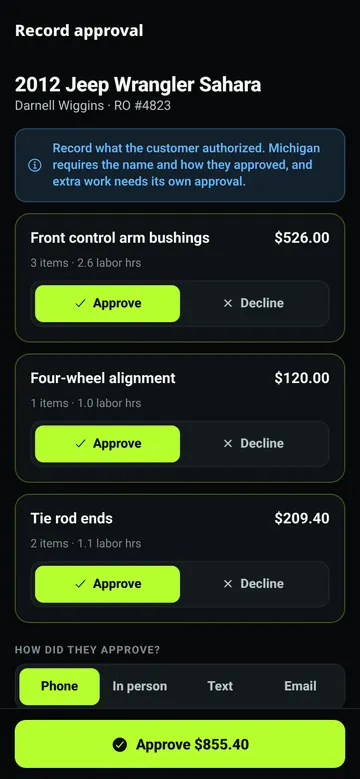
Estimate approvalCustomer approves and signs on the phone. 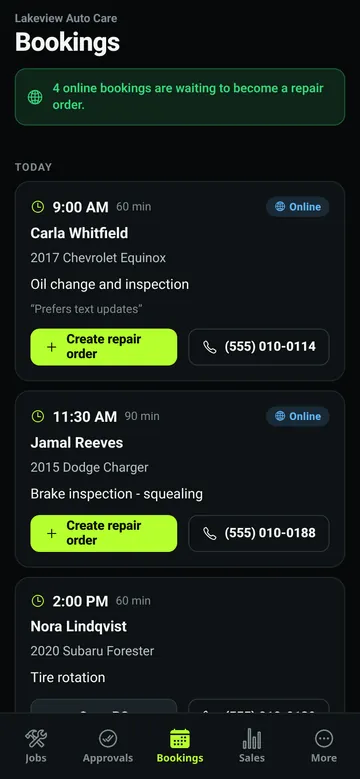
BookingsNew online bookings, ready to review. 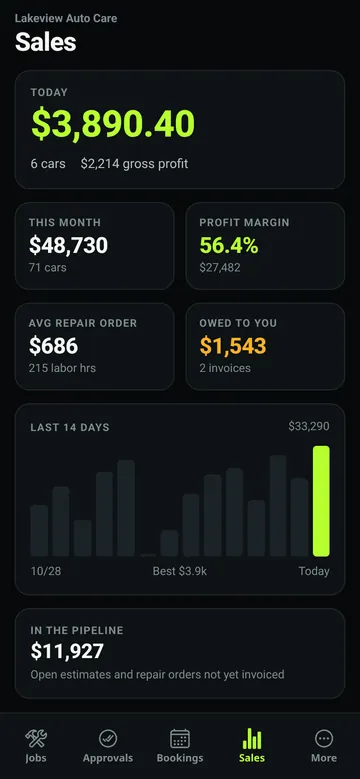
SalesToday and this week at a glance, for owners.
Screens show sample shop data.
The app is for shops that already run Bayvio. Download it, then sign in by scanning a code from the Bayvio desktop app or with your shop code and your own login. Part of Pro and Complete. It connects once your shop has the shop update that adds phone support.
Mobile app FAQ
Can anyone use the app?
The app is for shops that already run Bayvio. It connects to your own shop's data, so there is nothing to see until you sign in to your shop.
Is it safe to sign in with a shop code and password?
Your password is checked on your phone and the shop PC using a password-authenticated key exchange. It is never sent to Bayvio's servers or to the shop, and the shop locks an account after repeated wrong tries. The shop code only names your shop and is not a secret. Owners can turn code sign-in off.
When is the iPhone app coming?
The iPhone app is coming soon to the App Store. We will announce it here when it is available.
Is my shop data safe on the phone?
Phone requests to your shop are encrypted from the phone to your shop PC, and Bayvio's servers only pass the sealed messages along. Owners can see every paired phone and remove one at any time.
Why is this not on Google Play yet?
We are releasing to Bayvio shops first. A Google Play listing is planned, and until then you can install the app from this page.
Which version do I have?
Open the app, go to More, and the version is at the bottom. This page always offers the newest version.
See Bayvio run a real shop day.
Register for the live demo and explore estimates, the job board, payments and reports with sample data.
Try the demo Talk to us